Make a Promotional Video for your Mobile Game

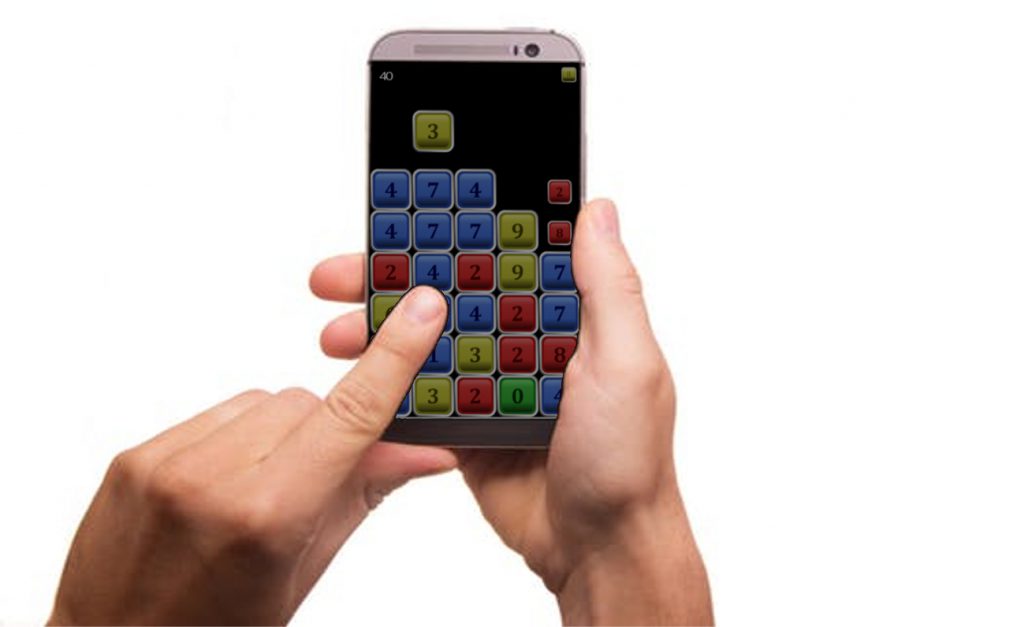
One of the best ways to get noticed on the App Store (any one) is to have a video that markets your games best assets. We recently did one for NumBlocks which has, in all honesty, been struggling to make an impact on the Play Store. The game is elegantly simple and looks great. It has a good mechanic and is easy to learn and play. We built it as a platform to test our ability to publish something and to work through the hurdles of getting a game finished. In that respect it is perfect!

Have a go of NumBlocks and let us know what you think? (click image to Play)
Not having a huge budget for marketing we wanted to make it ourselves. Were not audio visual newbies and weren’t looking for anything too complex. Plus the game is free so there is really no point paying someone to effectively polish a lump of coal in the diamond that we know it is.

Here is the finished product (click to Play!):
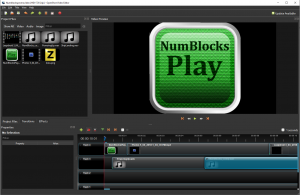
We used the OpenShot Video Editor.  Here at ZuluOneZero we support open source community driven projects as our default posture when looking for software to work with.  OpenShot Video Editor is crafted with love and open-source.  It’s under the free & open-source license forever (GPL version 3.0).

It’s very good and worked perfectly for our project. It has a simple but powerful interface and comes with a very nice set of built in transitions and other features.

We started off with a straight image of our NumBlocks logo. I really like the glowing internal light of this logo and the straightforward “Play” on the front. We did this icon in Gimp and imported it into the editor.

Check it out:
Next we got crafty. I asked the team (read ‘my brain’) for a flashing run through of the numbers in sequence to build tension and to lead in to the game play. We tried doing this manually in the editor but it was too fiddly lining up 40+ images with the right timing. So we came up with a novel solution and ended up opening all the number icon jpegs directly from the operating system folder onto the system picture viewer.  We then used the built in Game Bar that comes with Windows 10 to record a screen capture of the viewer. I manually scrolled through the number icons with the arrow keys on the keyboard at the tempo I wanted and sped up to a crescendo at the end.

We used the record feature of the game bar again to record the game play sequences. This time we ran the app on a mobile emulator on the desktop. The only issue I had with the final outcome of this was that the mouse pointer has to be used and looks a bit derpy. Next time I’ll download a pointy finger mouse icon to use so it looks more like a mobile game.  We edited the footage down to key sequences and game play.

Next I used the OpenShot speed manipulation tools to speed up a section of the game play footage to make it look more exciting and to showcase the game.

Next we stripped the audio from the existing clips and laid down some original music from the game.  You can listed to the music here on SoundCloud.

P.S. If you want to be notified when I post please sign up and subscribe using the form at the lower right of the page.
Do NOT Restart Unity After a Crash!

It all started when my laptop went into sleep mode.
I was doing some play testing of my Dog Run game and had to take a work call.
I know I know “real” work getting in the way of my real life.

Something happened and the laptop stopped responding. Wouldn’t come out of sleep mode and had to be restarted.

Now normally Unity is pretty stable. I actually can’t remember any time when it caused a crash or stopped responding or has died on me but I guess being in run mode while the laptop was asleep may have been a contributing factor.

When I restarted my machine and opened my Game again in Unity the editor barfed and gave me an error in the console like:

GetPathNameExtension(path) == “unity”
Unknown error occurred while loading ‘/Scenes/MainScene.unity’.

Then it asked if I would like to open the default scene which I promptly took to be My default scene. But sadly it wasn’t. It was the Unity default scene that you see when you open up a new project.

All of my assets and settings were gone. All those hours of tweaking objects’ positions and rotations getting things just right were wiped off the board like an angry chess master.
Poo.


This is the big lesson of today.

If the Unity Editor or your operating system crashes do NOT start Unity again without making a backup!

I know there are a few other lessons here like: 1. Always backup your project, and 2. Use source control, and 3. Backup your project again, and 4. Save your project regularly during your workflow and 5. Save the scene and the project BEFORE hitting Play when you are testing your game.

But I want to say it again because opening your project up after a crash in Unity is a really easy thing to do and seems like the right thing to do and is normal and natural and good. But it’s NOT!

DO NOT OPEN UNITY AFTER A CRASH!

Not without first backing up your project folders.

Now I know backup is a whole subject in itself and I’m going to make an entry on that soon but there are some simple ways to save the day here.

When you hit the Play button in Unity the scene and all the running elements are saved in the project’s Temp directory.

If you have a crash and want to restore your scene file, you cannot re-launch the Unity Editor after the crash.
If you do it will blow away the Temp directory and you will lose the last saved scene and all your progress with it!

Inside your Project directory folder there should be a Temp/__Backupscenes directory. If you are lucky in here you will find a file called either 0.backup or “__EditModeScene” (depending on Unity version) which is your saved scene file.

First! Make a backup of your Project directory. Take the whole thing. Easiest quickest way is to copy the whole project folder to another directory.

Then all you have to do is to copy this file back into you project and replace the broken scene file with the copy. Set the file extension to .unity in order to make this file recognizable as Unity scene file.

Please backup your project folder before making the change.

When you Run Unity and open the Scene you just moved from the Temp folder hopefully all or at least most, of your changes are there and the scene is restored.

So Unity is saving your scene every time when you hit the play button, but not over the original scene file, instead it is saved in the project’s Temp directory.

But be careful. You cannot start the Unity editor after the crash. This is by nature a Temp directory whose content is created dynamically when working in Unity.
If you restart you will lose the scene file and all the progress with it.

Once you have done this start using a new workflow.
Take regular backups.
Use source control.
Hit Save regularly while working in Unity.
Hit Save before you hit Play when testing in Unity.

Inspiration

I was getting rather upset with myself for not finishing my game yet. I had spent a lot of time learning how to get the animation of the dog into a state that wasn’t completely crap but … that a game does not make. I couldn’t visualize what the game was about anymore and I couldn’t actually see the point of continuing. It seems sometimes that it’s easier to cut your losses and just give up when a project is not coming together and weeks have turned into months .

I used to spend a lot of time doing quick two week Dev runs for a game. In those two weeks I’d get a good feel for the game and by the end of it I’d know if it was going to be viable. I spend a lot of time planning and doing design docs and color charts and programming core functionality. It’s quick fun and satisfying but it’s not an end product and I probably wouldn’t even show most of those games to close friends.  But that’s what they are about, learning quickly if your idea is going to work or not.

So this game was about taking an idea from start to finish. Making everything as good as I could. Spending time getting drawings right. It’s much harder and takes much longer than you think. And those weeks where not much happens really impact on the sense of progress and achievement. Its easy to slowly get disillusioned.

You might want to give up and start hacking for fun again. You might get stressed that time spent doing all this work for nothing was going to have you end up in the poor house (auto-corrected from poo house – which is a real place too). You might suspect that you have extended your childhood too far into responsible adult life and that you are a talentless man-child who will never do anything. Ermmm.

I know some get feelings like this more than others and I’m truly sorry for their pain in life. In truth I’m probably living in a fantasy world but its one of my own making and to fuel it I need inspiration. The desire to make games stems from a belief that if you do what you enjoy then you will be good at it and successful. Also I think the gamefication of life makes it better and more enjoyable.

Simple things like watching the Mrs trying to catch grapes in her mouth for the first time and Everything my son does. At nine everything he does is a game. He never walks to his room if he can jump pillows down the hall (lava!).

Games can be addictive. God knows I’ve had to strip even Tetris and Minesweeper from old computers just to get some “real” work done. So I have a vague feeling of guilt when I play games instead of making them or doing something else productive.

The point is there are good reasons to make games, and better reasons to try and make great one’s. So that’s what happened. I played a game I was using as a reference and benchmark for my own and quite simply it inspired me. So now let’s get back to making games.


Animating the Running Dog with Unity and GIMP

I finally got the game I started in November into some semblance of how I wanted it to look.  The running dog animation anyway.  Still playing with different backgrounds but this one is sure “fun”.

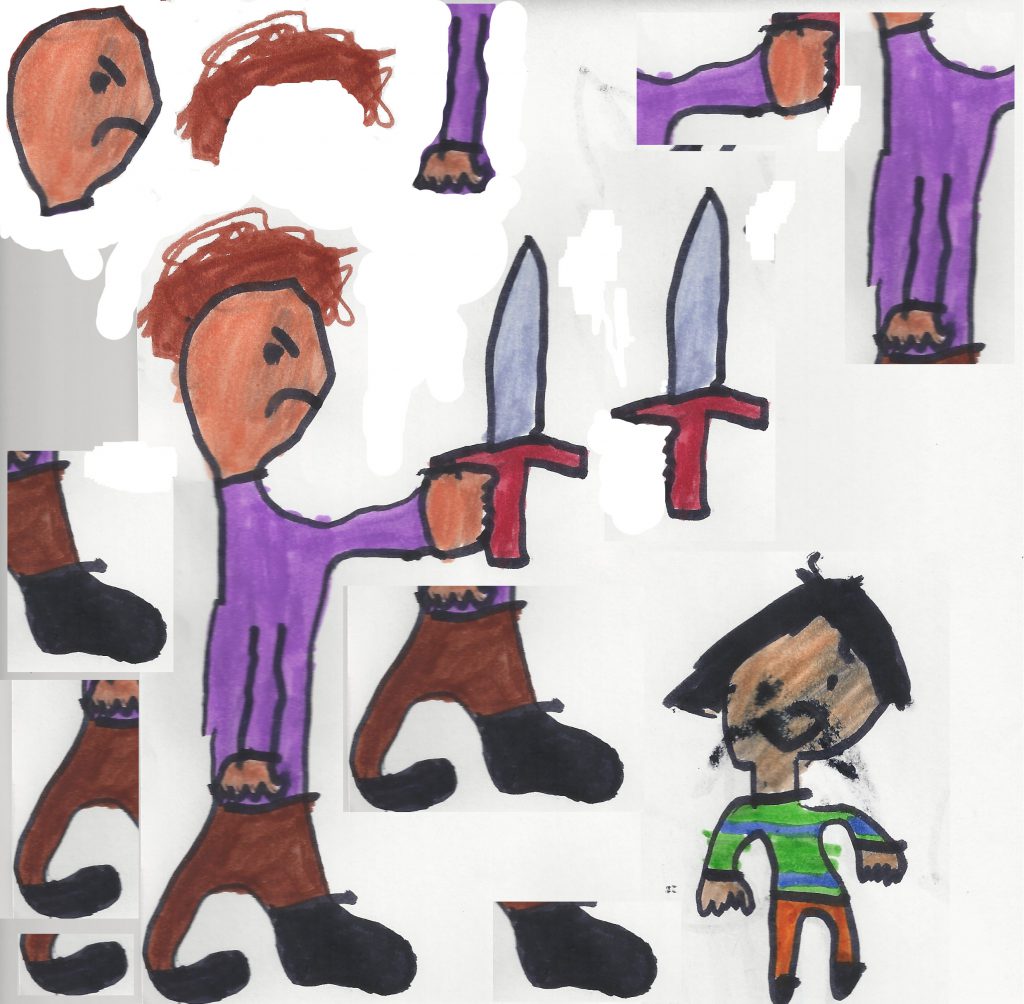
It took a long time to get all the dog actions done drawing each one by hand and getting a lot of unsatisfactory results.  The animation is all “flip-book” style with each frame a different drawing.  There were between 70 to 80 pictures for the entire set.

The art was done in gimp with the help from some nice veterinarian manuals on the dog gait.

I mocked up a few transitions from an opening scene to a nice zoom down to playing position.

Then moved between a sedate walk to a running gallop and a little jump.  She looks like she’s really flying now!


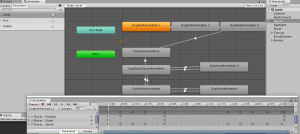
During this time I also had a big problem with corrupted a scene after playing in the Animator window.  Big tip and future post – do not restart Unity if it crashes without taking a copy of your temp directory first. It took me about two weeks to rebuild everything but more on that later.

How To Get Beta Testers

Yay! We Are In Beta!

When ZuluOneZero published NumBlocks on the Google Play Store we went through the requisite development phases.

The game has been released now – have a play:
NumBlocks published on the Google Play Store for Android.

Click to Play:

Also on the Amazon Play Store for Android and Kindle.

Click to Play:

This was our first app that we thought looked good enough to give away to real users.
I was very proud of the artwork and how the game played on screen.
It’s a simple no-frills game but it was a perfect test platform to scope out what’s required to get a game published.
Which incidentally is a little daunting but in reality the whole process of publishing a game on the Google Play Store was pretty easy.
The Google Play Console was easy to use and there were plenty of official and community references to help us through it.

Uh Oh … Problem …

We went through several development iterations and found a revision that worked on most Android platforms.
We were running Unity 5 and targetting all mobiles above Android API 15 4.03 called “Ice Cream Sandwich”.
Not being a big shop our test devices were old personal phones that were around this API version. It was running well and looked great an a VM but once we started using our physical test devices we found a few issues dealing with different screen resolutions and one phone didn’t have enough resources to run the random number generator so that the same numbers kept spewing out.

Then we upgraded to Unity 2017.1.0f3 and lost support for those older API’s. Oops no more supported hardware to test on! We really needed to get some Beta Testers who could trial the game on a variety of different platforms that we couldn’t access. We could test thoroughly with virtual machines but as we found when testing on real phones there are some things about how the game looks and plays that can only be reproduced on the real platform.

Solved! (Not!)

So our marketing team (Harmony and Felicity) and I did some research on recruiting Beta Testers and we quickly realised that we couldn’t affort to pay for the service.
We did find a wealth of paid services out there which I’ll list below in case someone can make use of that information.

Not all of these services were paid but most of them required some sort of effort or buy-in up front that we couldn’t match.

http://appstorm.net/
http://appuseful.com/app/add
http://betacandy.com/
http://betali.st/
http://betalist.com/
http://betapage.co/
http://betatesters.io/?utm_source=InstabugBlog&content=betatestbeginnersguide
http://erlibird.com/

Ready to introduce your startup to the world?


http://makeuseof.com/
http://market.thenextweb.com/
http://momb.socio-kybernetics.net/

Contact us


http://quora.com/
http://startupli.st/
http://startuplift.com/
http://web.appstorm.net/
http://www.betabound.com/
http://www.betabound.com/announce/
http://www.mob4hire.com/

Submit Your StartUp

Submit

Submit Startup


http://younoodle.com/
https://betafamily.com/
https://feedmyapp.com/
https://inspiredbeta.com/
https://www.topcoder.com/
https://www.usertesting.com/
https://www.utest.com/

Social Media Save Me!

So we turned our attention to the online communities that might be able to assist us.
We did some more research and found that social media is literally teeming with sites and groups that want to Beta Test your app. Awesome. Problem solved.

We published a Beta version of the app on the Play Store and mocked up some Beta Testing campaign ideas along with a set of goals that we had for Beta Tests. We were looking for technical testers as opposed Marketing and I can tell you I was pretty excited about getting some feedback on the game. When we pubished the Beta version of the game we could choose a number of Beta testers that the game would be released to. The interface gave us a minimum of 1000 users so we went with that and given the number of social media sites we found thought that this didn’t sound all that unreasonable.

This is a brief list of the social media sites and lists and groups that we advertised for Beta Testers on….

Google Communities:
Android Beta Tests
https://plus.google.com/u/0/communities/109783274236354693762
Android Game Developer
https://plus.google.com/u/0/communities/107240075790372473394
Indie Game Developers
https://plus.google.com/u/0/communities/116817422244345691332
Game Developers
https://plus.google.com/u/0/communities/100673606633986699530
Game Developers
https://plus.google.com/u/0/communities/101640237427303194102
Game Programmers
https://plus.google.com/u/0/communities/102656807509358954492
Mobile Game & App Developers
https://plus.google.com/u/0/communities/107514033174068960125

http://www.reddit.com:
/r/TestMyApp
/r/alphaandbetausers
/r/AndroidAppTesters
/r/startups
/r/betatests
/r/androidapps

https://twitter.com/:
search?q=%23Betatesting%20&src=typd
search?q=%23Betatesters&src=typd
search?q=%23Testmyapp&src=typd
search?q=%23Indiedev&src=typd

We even did a big call through our Facebook Page and Blog.

Big Reveal!!!

Guess how many Beta Testers came flocking to try out our great new game…..

None. Zero. Zilch. Nada. Not one.

We checked around the boards on these sites and groups and actually found very little actual Beta Testing going on.
After a few weeks of interacting with these communities and even testing a few apps ourselves thinking that we might get some kind of Beta Testers Karma we still found that no-one really wants to test your app (unless maybe if you are building a huge free MMO that’s going to be awesome – anyone doing that?).

Free Advice!

So there you have it – Beta Testing using social media groups doesn’t work. You don’t get nufin’ for free in life.

So my advice to you is that if you don’t have one already, start building an email list now. For a startup game dev studio with no support framework it’s pretty hard to come by free help when you need it. Ideally, start collecting email addresses before you even have an app, and keep at it! Because even a handfull of Beta Testers is better than none.

New GIMP Speed Drawing Cartoon

I made a new speed drawing for Trixie – check it out

These are quick sketches done for our team to use as avatars.

I’ve recently done them all using GIMP and uploaded the one of myself here: https://zuluonezero.net/2017/11/11/new-speed-painting-in-gimp/

I recently started reading a great comic book faces drawing book by artist Christpher Hart called Cartoon Faces. I prefer to work from books but he has a YouTube channel.  https://www.youtube.com/channel/UCrd1j_IoMQDv_MEEGKLoFJg

The music for this video was by Zulu.  It was created some time ago but fits nicely with the feel of the artwork.   It’s been uploaded to our Sound Cloud account so if you make a good Space Game let us know and we might let you use it.

The Five Games in Ten Weeks Challenge!

Some months back I went to a local presentation by the Unity champions at The Arcade (a collaborative workspace specifically for game developers and creatives) in Melbourne.  It was one of those “learn about others and gain insight into one’s self” moments.  One thing I picked up from one of the presenters from Hipster Whale (makers of Crossy Road) was that when they were developing a new game they tried to keep the proof of concept to a two week period.  Some time later with this in mind I presented to myself the “Five Games in Ten Weeks Challenge!” to see if I could really push out five different games in ten weeks.

Five Games in Ten Weeks

Continue reading →

New Game! Peace Run

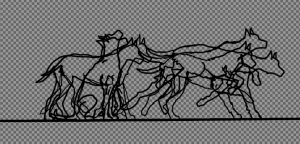
Hi Zulu here  – We started work on a new game this week called Peace Run.  I wanted to do a continuous runner and really liked the idea of having a line drawing animation that looks like the player character “grows” out of the line.  The runners will be animal silhouettes like the dog shown here.

Doing the frame by frame animation has been really fun but it took a lot of trial an error to get to this point – which as you can tell isn’t perfect yet.

All the artwork was done in GIMP 2 and the game design is in Unity3d.  We used a simple animation script to play the start of the walk sequence.  I can’t wait to get this puppy into a run and a full sprint.

BETA Testers wanted! NumBlocks

Hi Zulu here – we just got our latest game NumBlocks into the Play Store and have opened it up for Beta Testing.

https://play.google.com/apps/testing/com.ZuluOneZero.NumBlocks

NumBlocks is a fun numbers game that’s easy to learn but hard to master.

This is our first game in the Play Store and is a great test bed for us.

We wanted something small and simple that looked good in action and was fun – NumBlocks was our answer.  It was the front runner to our “Five Games in Ten Weeks” challenge and broke a lot of new ground for us.

New Speed Painting in GIMP

Hi Gene Goldenberry here – resident imaginary artist and ZuluOneZero. This is how I drew and painted my profile picture in GIMP.
(BTW the audio is from our latest game NumBlocks on the Play Store and was done by our Audio Technician Baron Von Hummbolt (not a real person).

We are currently looking for BETA Testers for NumBlocks:

https://play.google.com/apps/testing/com.ZuluOneZero.NumBlocks